Agents
Sensitive columns and Presenting
Mark a column as sensitive and agents only ever get a stand-in for its values. Presenting hides the same columns on your own screen, along with the host and user, for a demo or a screen share.
Marking a column sensitive
You can mark a column in two places. Both save the same list, kept per connection and per database, and both apply at once, to the agent's next call. A mark is kept even while the connection isn't shared, ready for when it is.
From the Agents page
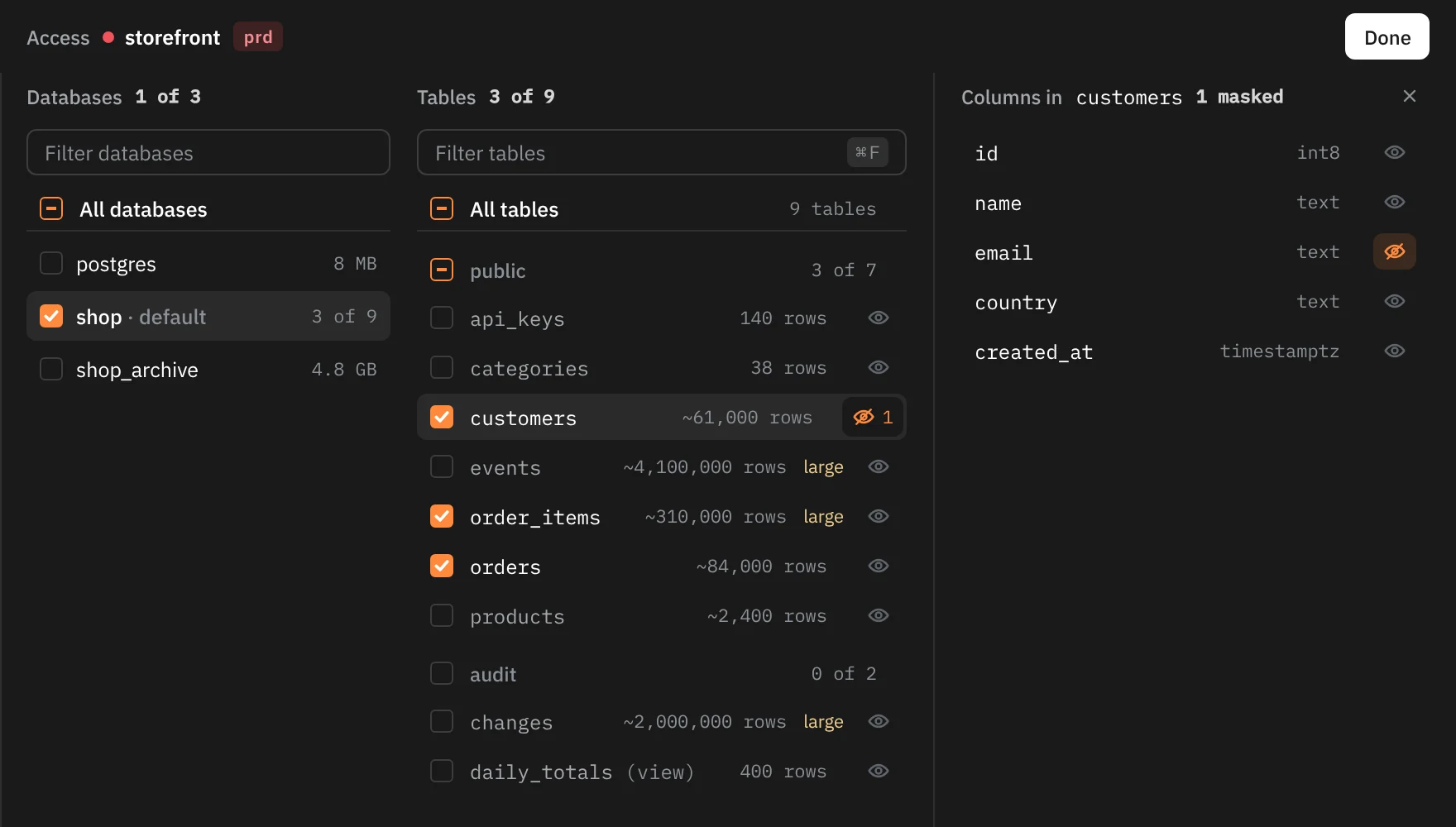
Open Edit access
Open the Agents page (⇧⌘A) and click a shared connection's card.
Open a table's columns
Click the eye at the end of the table's row. Its columns open beside the list, under "Columns in customers".
Mark the columns
Click a column to mask it; its eye turns orange and crossed out. Click it again to unmask it.
Columns whose names usually hold personal data, such as email, phone, address, date_of_birth or ip_address, carry a Looks personal tag, and Mask suggested masks all of them in one click. A table with more than 12 columns gets a Filter columns box. The table's row then shows the eye in orange with the number of masked columns.
From the grid
On a table tab, right-click a column's header and choose Mark as sensitive. A toast confirms "Marked as sensitive" with the column's name. Unmark sensitive, in the same menu, takes the mark off ("No longer sensitive").
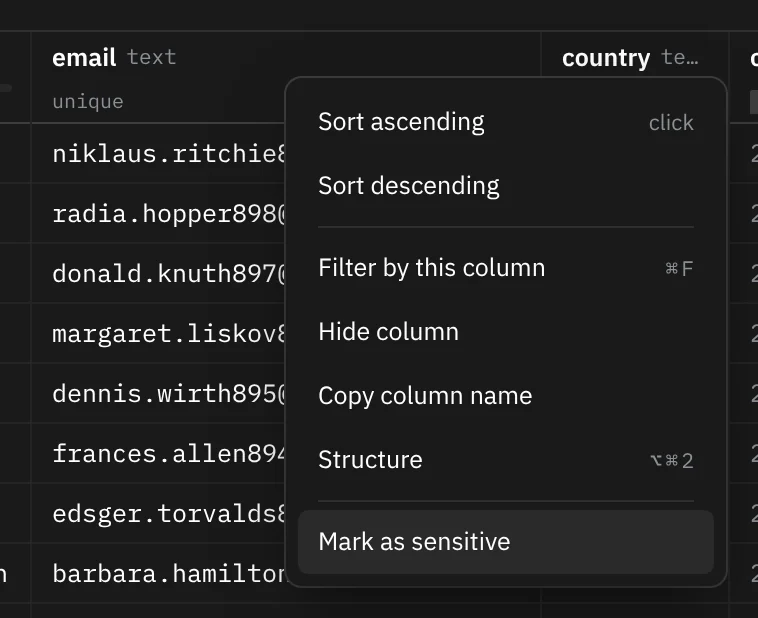
A marked column shows a crossed-out eye before its name in the header, in every tab that shows it. The menu item appears only on table tabs, where Rowkery knows which table each column belongs to.
What agents get
An agent never gets a marked column's real value. In its place it gets a stand-in: masked: followed by ten hex digits, such as masked:3f9a1c07b2.
- The same value always gives the same stand-in on that connection, so an agent can still tell rows apart, see that two rows share an email, or match a value it saw in another query.
- NULL stays NULL.
- The stand-in comes from a key Rowkery keeps in your keychain, one per connection, so it can't be turned back into the value.
describe_tablelists the table's masked columns, andsearch_schematags them "(masked)", so the agent knows before it queries.
What an agent can do with a masked column
| On Postgres | Allowed |
|---|---|
| Return it as it is, from the main SELECT | Yes, as stand-ins |
count(email) or count(DISTINCT email) | Yes |
| Filter, sort, group or join on it | No |
Use it in an expression, such as lower(email) | No |
| Return it out of a subquery, WITH query, INTERSECT or EXCEPT | No |
A whole row of the table, such as row_to_json(c) | No: the agent names the columns it needs |
| A plan that walks an index on it | No, since the index order would give the values away |
On SQLite the rule is stricter: a masked column can only be returned as it is, from the main SELECT, with no sorting, grouping, subqueries or combined results in the same query.
Filtering counts as reading: WHERE email LIKE 'a%', then 'ab%', would spell out a value one character per call. That's why anything beyond returning or counting is refused. When it is, the agent is told why, such as "customers.email is masked. You can return it as it is or count it, but not filter, sort, group or join on it, or use it in an expression."
A proposed change can't mention a masked column at all: not to read it, write it, or filter on it.
If you mark a column that is later dropped from its table, queries on that table are refused until you check its marks again.
How it's enforced
Rowkery doesn't trust the SQL as written. On Postgres it asks the server for the query's plan (EXPLAIN VERBOSE, which runs nothing), where views are already expanded and every use of every column is spelled out, and walks it to find each place a masked column is used. On SQLite it prepares the query with an authorizer that reports every column read and where each result column comes from. When the check can't follow a use, it refuses the query instead of guessing. The values are replaced on their way out, before the answer leaves Rowkery.
Presenting
Presenting hides sensitive values on your screen. Turn it on before a demo, a screen share or a recording.
Turning it on
| Where | How |
|---|---|
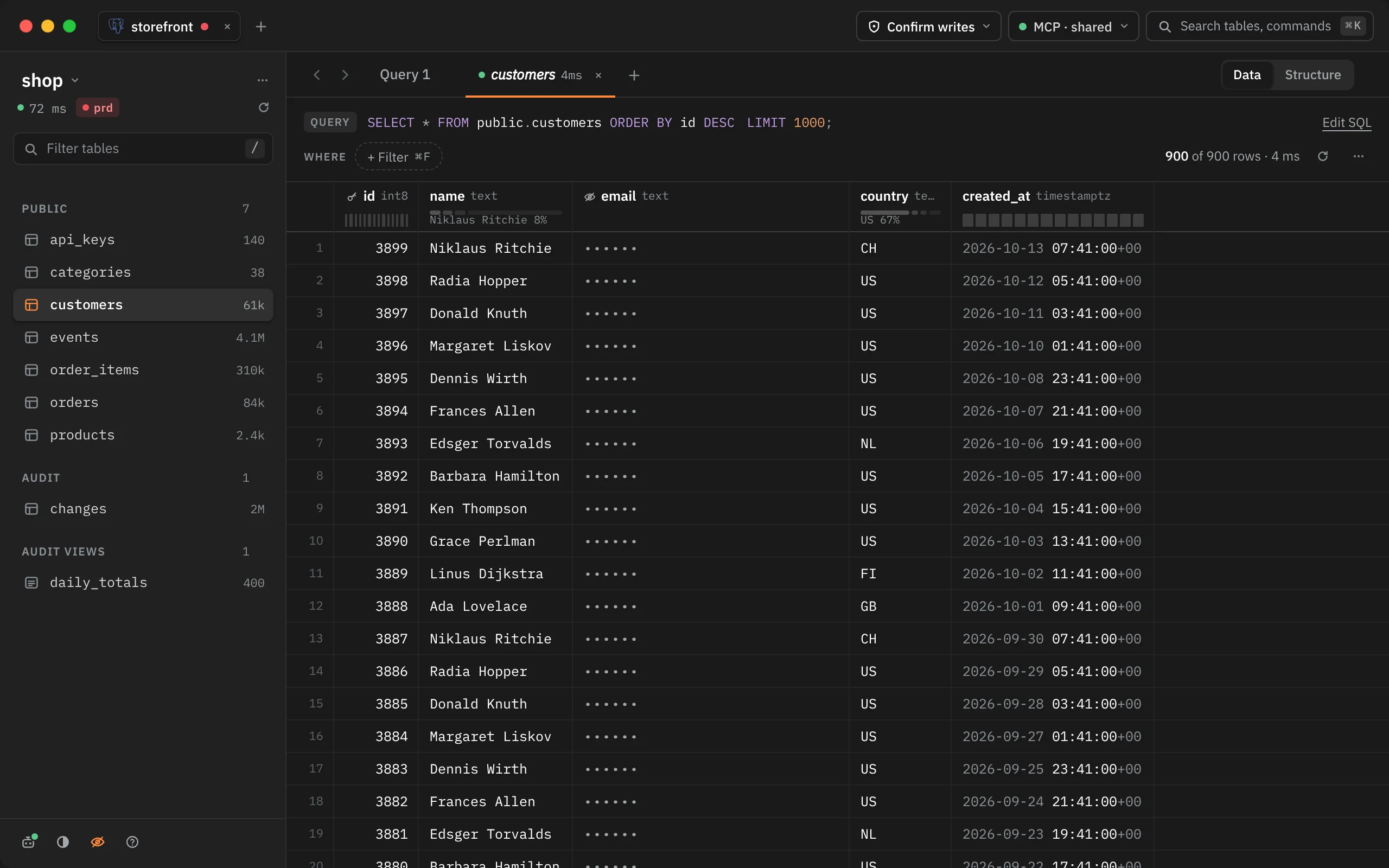
| The eye at the foot of the schema column | Click it. It turns orange while Presenting is on |
| ⌘K | Start presenting / Stop presenting |
| Menu bar | View › Start Presenting / Stop Presenting |
Presenting applies to every window at once and stays on after a restart, so a relaunch mid-demo doesn't show anything. It has no key.
What it hides
- Marked columns show as six dots, in the grid, in Quick Look and in a proposed change's dry run. A hidden cell has no tooltip, its column has no profile bar, find skips it, and a selected block that includes it shows no sum or average.
- The host and user under the database's name in the schema column. ⌘K, the connection switcher (⇧⌘O) and Connect to start show only the database name, or the file name for SQLite.
Editing a hidden cell is blocked, with the toast "Hidden while presenting". Turn Presenting off to edit it.
What still works
Copy still copies the real value. Presenting hides what's on screen; the data itself is unchanged, and what agents get doesn't depend on it.
The limit in query tabs
On a table tab, Rowkery knows each column's table, so it hides exactly the marked ones. A query tab's result doesn't say where each column came from, so Rowkery hides any column whose name is marked anywhere in that database. Two things follow:
- A column renamed with
AS(SELECT email AS contact FROM customers) shows its values. - A column from another table that happens to share a marked column's name is hidden too.
Before showing a query tab to others, check its columns, or stick to table tabs.