Agents
Connecting to agents
Rowkery has an MCP server built in. An agent can read the databases and tables you share and nothing else. It can't change your data; a change it suggests waits for you to commit it.
Share a connection
Open the Agents page (⇧⌘A, or the Agents button at the foot of the schema column) and turn on the connection's switch. Choose how long: until you turn it off, for an hour, or for today.
Edit access narrows it to the databases, then the tables, the agent may read.
Connect your agent
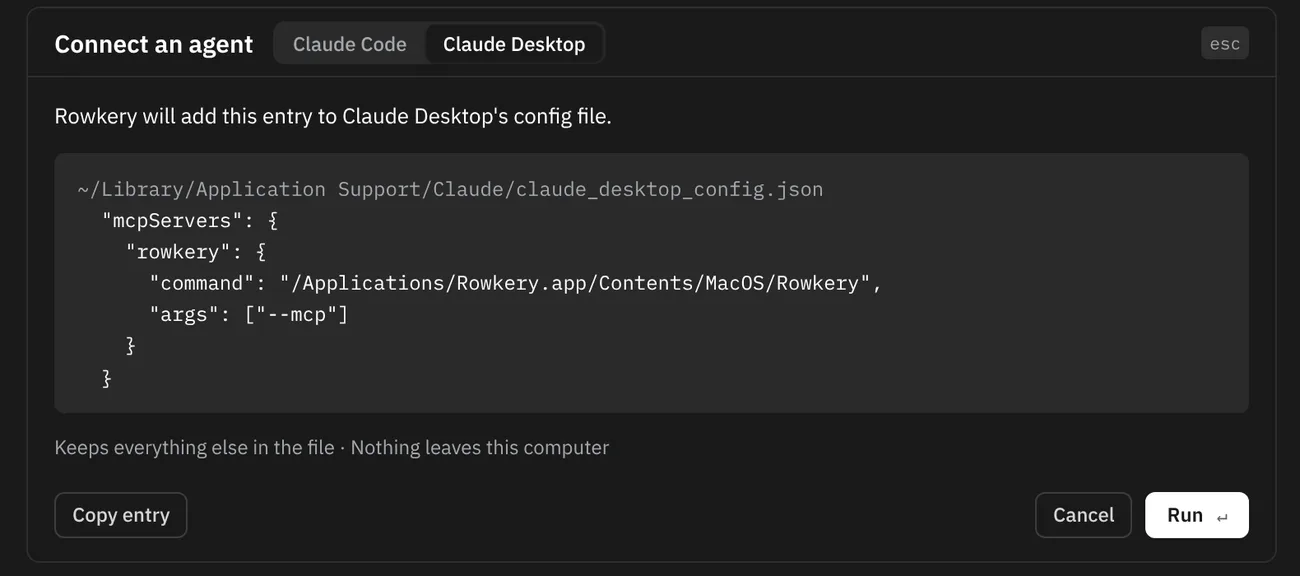
Choose Connect an agent on the Agents page or in ⌘K. Rowkery shows exactly what it will run before it runs it.
| Agent | What Rowkery does |
|---|---|
| Claude Desktop | Adds an entry to its config file and keeps everything else in it. Reopen Claude Desktop afterwards |
| Claude Code | Runs claude mcp add --scope user rowkery -- …/Rowkery --mcp. Start a new session afterwards |
Any other MCP client
Add Rowkery as a stdio server. Most clients take this shape:
{
  "mcpServers": {
    "rowkery": {
      "command": "/Applications/Rowkery.app/Contents/MacOS/Rowkery",
      "args": ["--mcp"]
    }
  }
}
Ask it something
Try “Which tables are in my arcade database?” or “How many orders came in yesterday?”. Each call shows up on the Agents page as it happens.
What the agent can call
| Tool | What it does |
|---|---|
list_connections | The connections you share |
list_databases, list_tables | What's shared on one connection |
search_schema, describe_table | Find a column or table, and read its columns, keys and indexes |
query | One SELECT, up to 1,000 rows, stopped after 10 seconds |
explain | A query's plan, with the slowest step and one hint |
sessions | What's running on the server, with values hidden |
propose_change, check_proposal | Suggest an insert, update or delete, then see what you decided |
What gets refused
Before anything reaches your database, Rowkery refuses:
- Writes of any kind, and more than one statement at a time
- Tables you haven't shared
- Queries that would read a large table from start to end
- Functions that could affect other sessions, files on the server or its settings
The agent gets the reason back, so it can try a narrower query.
The activity log
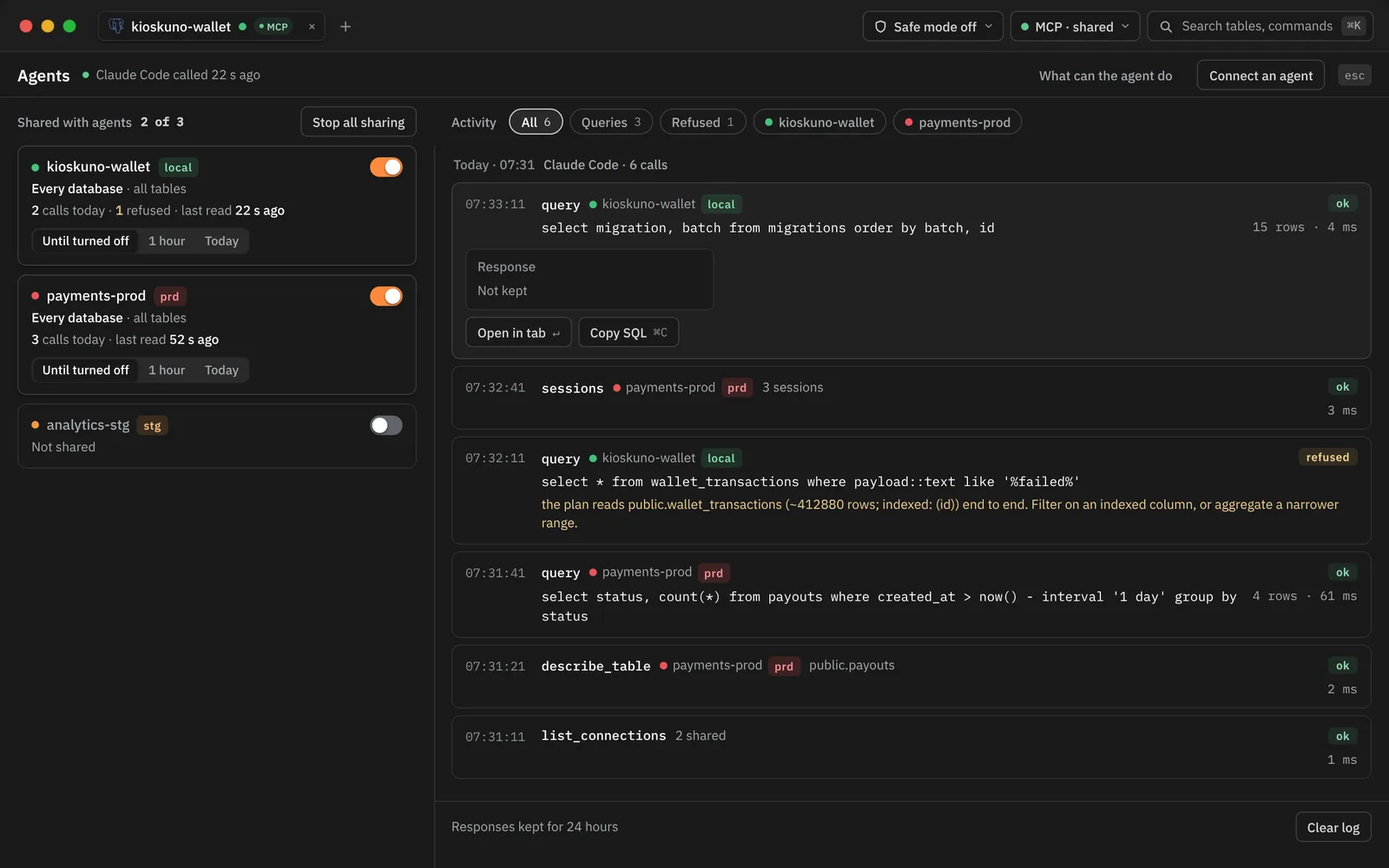
Every call is listed, newest first and grouped by agent session. Pick one to see what was shared at the time, the request as sent and the start of the response. Responses are kept for 24 hours; the log never stores rows.
When the agent proposes a change
A toast tells you a change is waiting, and the Agents button shows a count. Open it to review:
- Dry run runs it in a transaction that's rolled back, showing old values struck through above the new ones.
- Commit ⇧⌘↵ runs it for real, only if it still changes the same rows. Or reject it.
The agent learns your decision the next time it calls check_proposal. A proposal nobody decides on expires after a day.
Sensitive columns
Choose Mark as sensitive in a column header's menu and agents only ever see a stand-in for it. They can return or count it, but not filter on it. Presenting, at the foot of the schema column, also hides those values on your screen.
Stop sharing
Turn off a connection's switch, or press Stop all sharing. It takes effect on the agent's next call.